
Every permit at a Texas site, with the source.
Pick a spot and a project type: data center, battery storage, solar or manufacturing. Barrio Grid lists what each agency requires, from federal and state down to the county and the city, with the exact line from the agency's own document and the link to it. Holds in force show first.
How to use the Permit Plan
Each chapter of the video above, in the order you would use it. Click a chapter to jump to it.
- Free
0:00 Check a spot
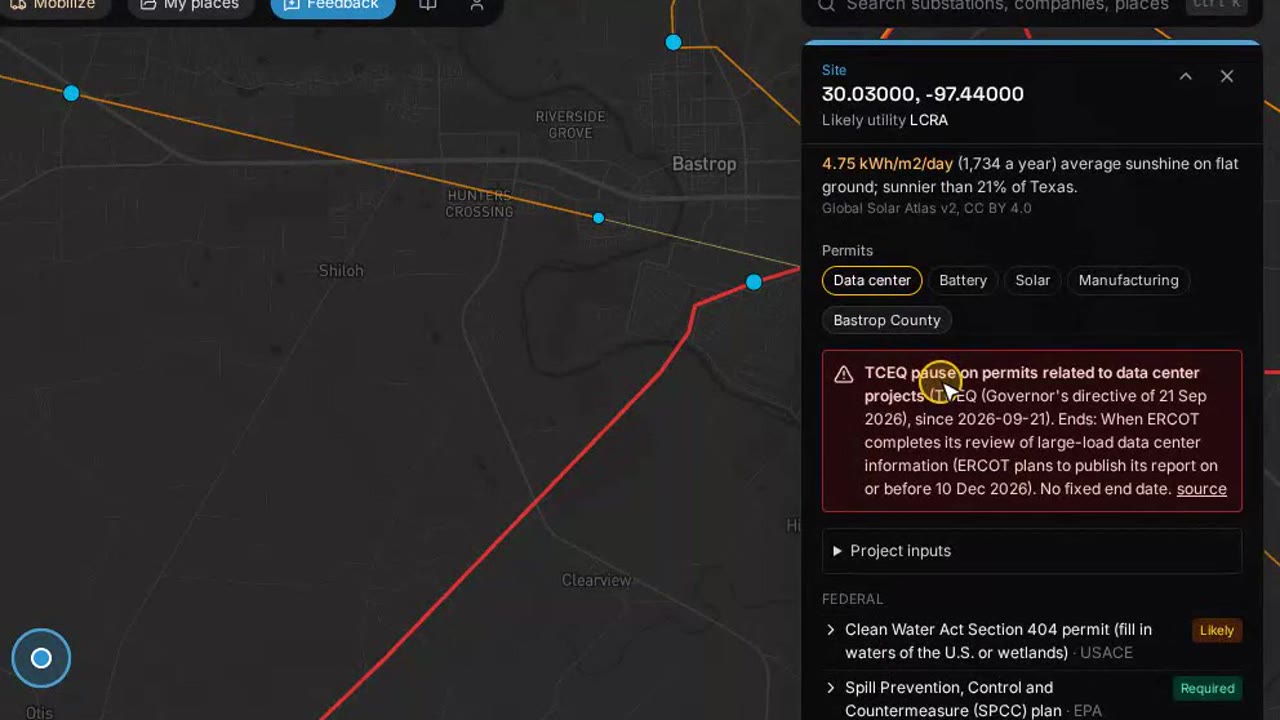
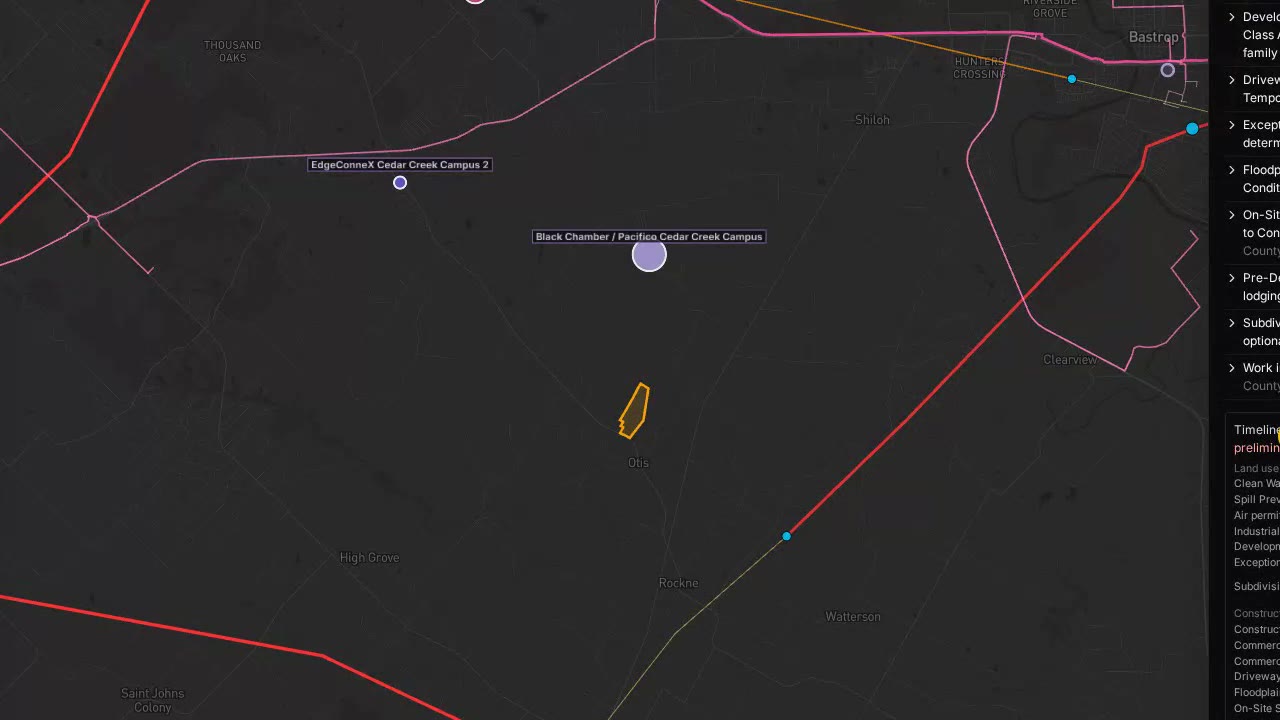
Click any spot in Texas and pick the project type. The permit list is built for that use at that location.
- Free
0:16 Who governs the site and what is on hold
The federal, state, county and city authorities over the spot, and any hold in force, such as a state pause on a permit type.
- Pro
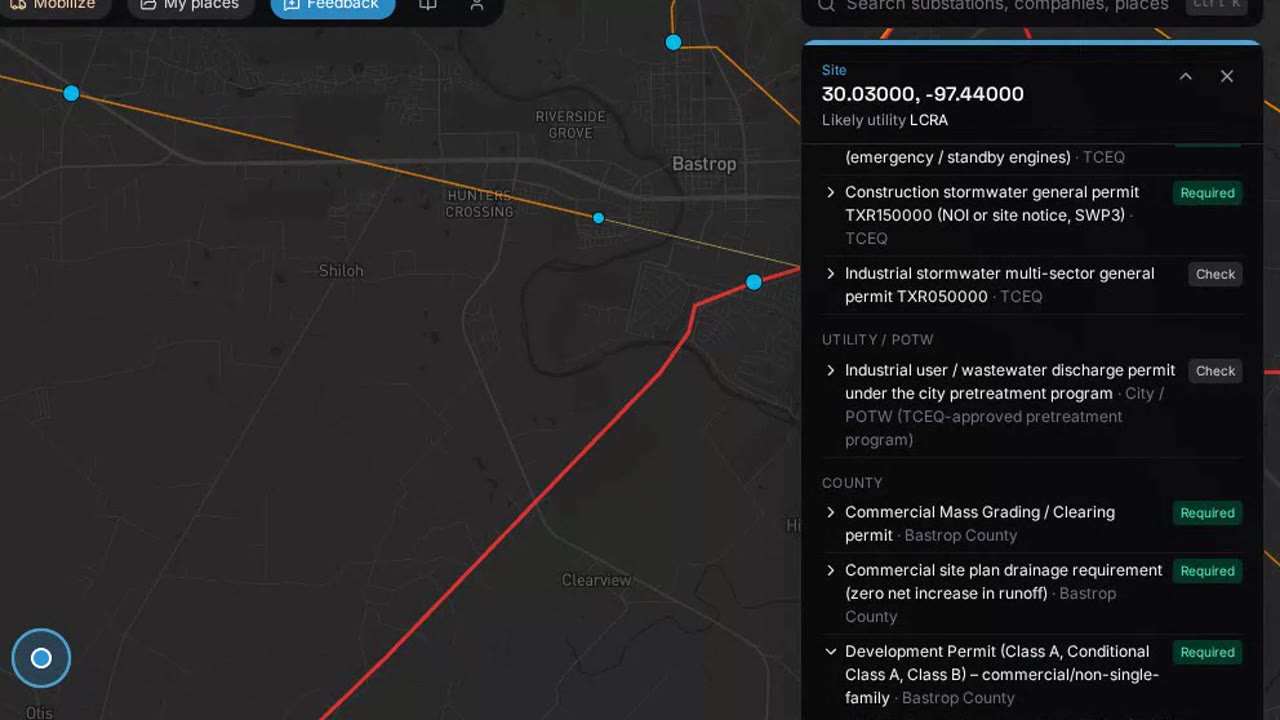
0:36 Every permit with its primary source
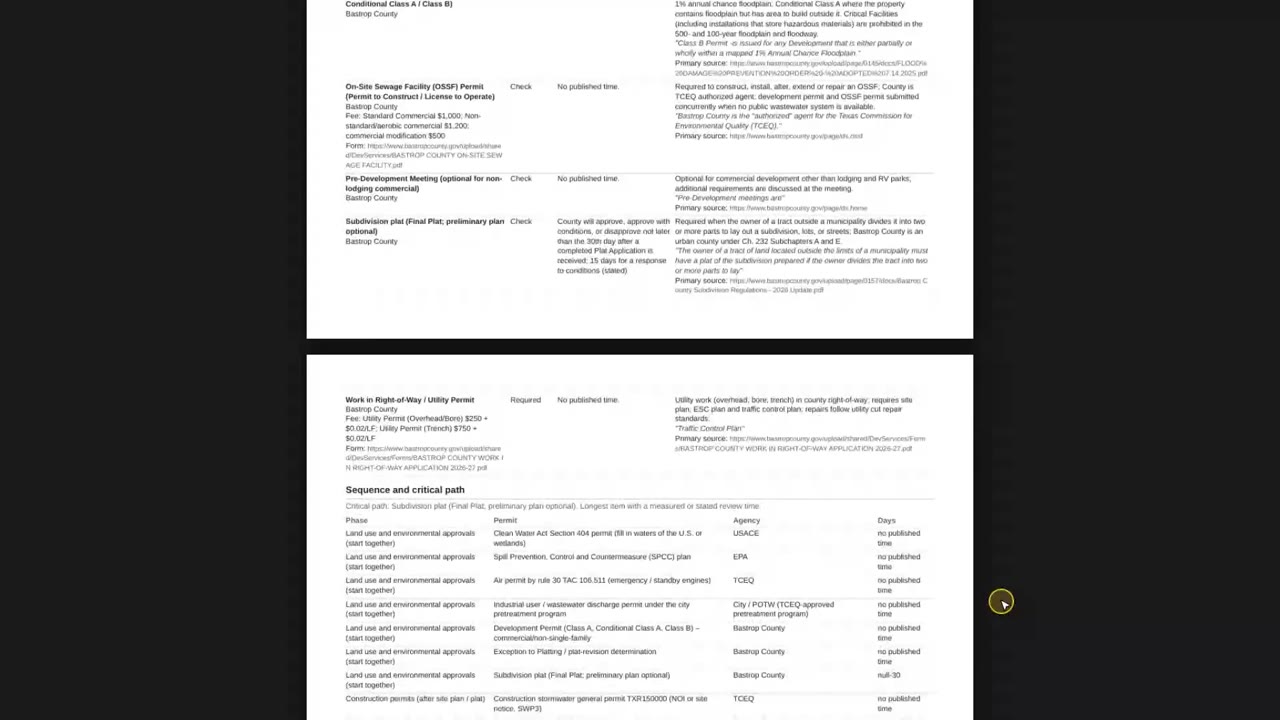
Each permit, why it applies, the review time when the agency publishes one, and the quoted line from the agency's document with a link.
- Pro
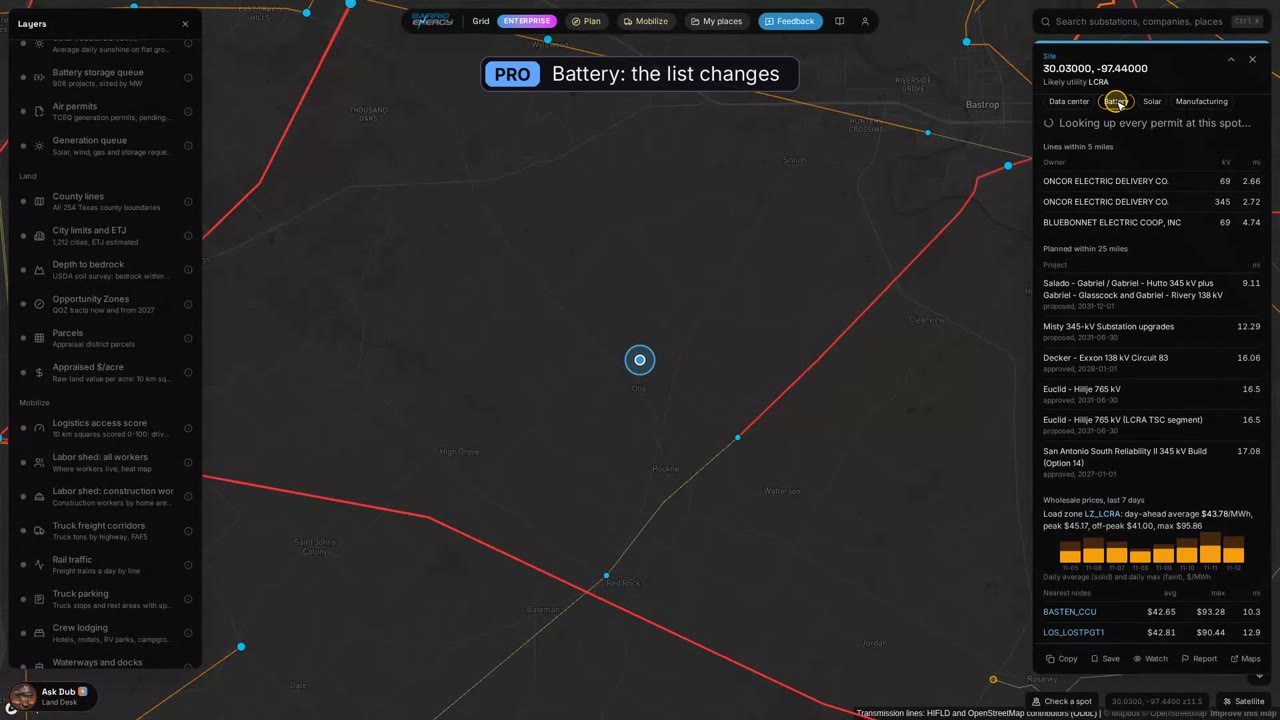
0:49 Switch the project type
Change to battery storage and the list changes with it. Holds that only cover another use drop off.
- Enterprise
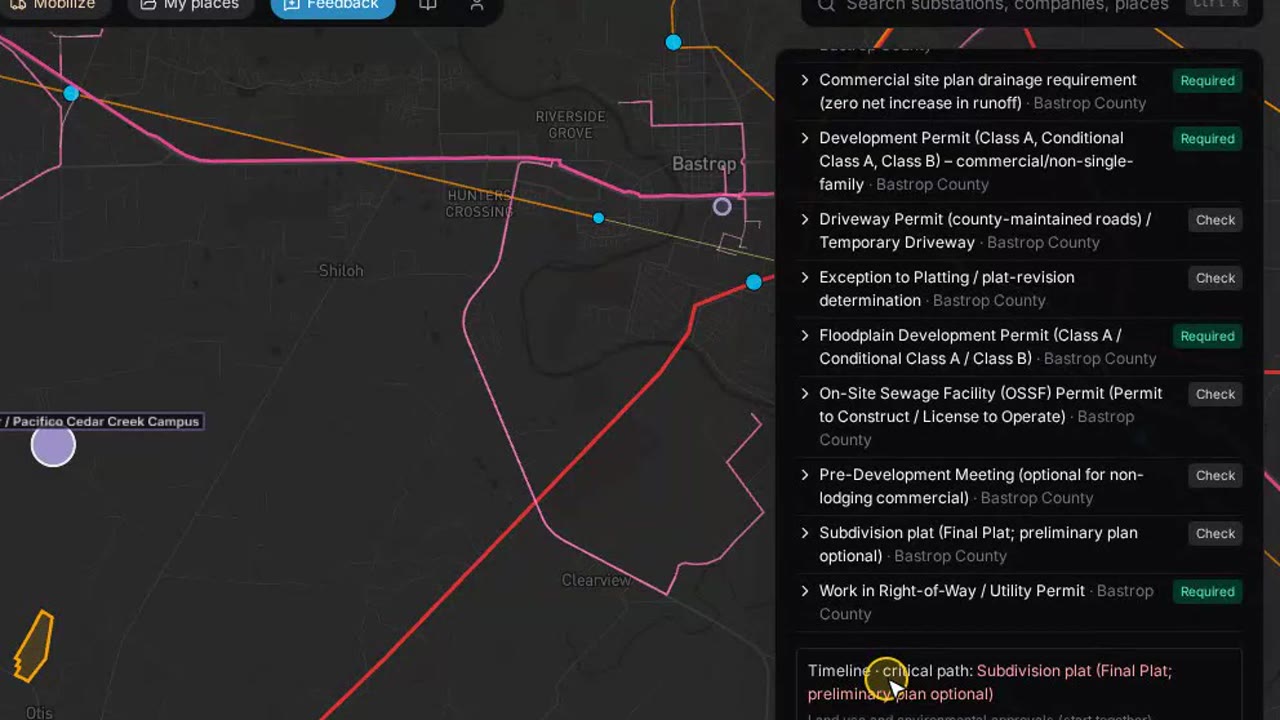
1:01 Plan: inputs, order and critical path
Add project details such as acres disturbed, backup engines and where wastewater goes. Enterprise puts the permits in order and marks the critical path.
- Enterprise
1:24 Permit report PDF
One PDF with every permit, its order and its source, ready to hand to the team or the engineer.
How a permit plan runs on Barrio Grid
Each step is a panel on the map or a tool your AI assistant can call through the connector.
- Free
Pick the spot and the use
Data center, battery storage, solar or manufacturing. The authorities over the spot come from city limits and county lines.
- Free
Check for holds
Active holds show first. Local holds come from the authority's own adopted documents; statewide holds are confirmed by a person before they show.
- Pro
Read the list
Every permit with its trigger, review time and fee where the agency publishes them, each with its own cited source.
- Pro
Check the zoning
The zoning and use rules that apply at the spot, from the city's code.
- Enterprise
Order the work
Plan sorts the permits, shows what can run in parallel and marks the critical path. Ask the code a question in plain English and get the section back.
- Enterprise
Hand over the report
A PDF permit report with every primary source link, for the engineer, the attorney or the lender.
What you get back
Permit Plan questions
Where does the permit information come from?
From each authority's own documents: county and city websites, their published codes and the state and federal agencies' rule pages. Each county and city is researched on its own, and an item only publishes when its quoted line was found on the primary source. Fees and review times show only when they have their own cited source.
How current is it?
County and city documents are refreshed every quarter, and more cities are added each night. Holds are checked more often. If an authority's documents are not online, we send a public records request.
Is this legal advice?
No. It is a research starting point with the sources attached. Confirm each item with the agency, and with your engineer or attorney, before you apply.
What does Required mean versus Check?
Required means the source says the permit applies to this kind of project. Check means it applies only under a stated condition, such as a size, a location or a type of equipment, so the condition is shown with it.
Can my AI assistant use this?
Yes. Barrio Grid is an MCP connector: add https://grid.barrioenergy.com/mcp to Claude or any assistant that supports MCP and ask in plain English. The same tools run the map. Setup is on the API and MCP page.
Open the map and check a spot.
Free shows who governs a site and what is on hold. The full permit list is on Pro: $499 a month, first month $249. The critical path and permit report are on Enterprise.